
Table of Contents
BookBloom Review: 30 Days of Book Pins (2026)
Quick verdict: BookBloom, by Dpapa (Demetris Papadopoulos), turns one Amazon book link into a 30-day Pinterest promotion campaign: 90 pieces at 3 a day, AI artwork built around your real cover, captions written from your book’s own pages, a hosted book page, and a CSV you bulk-import into Pinterest. The front end is $17 one-time at launch (list price $27), the funnel is unusually transparent (every upgrade priced on the JV page), and the sales page is refreshingly honest — it says a click is never a guaranteed sale. The caveats are real: you still publish the pins yourself, you need your own AI key, and some advertised upgrade features are listed as arriving as updates rather than live today. My rating: 4.2/5.
What Is BookBloom?
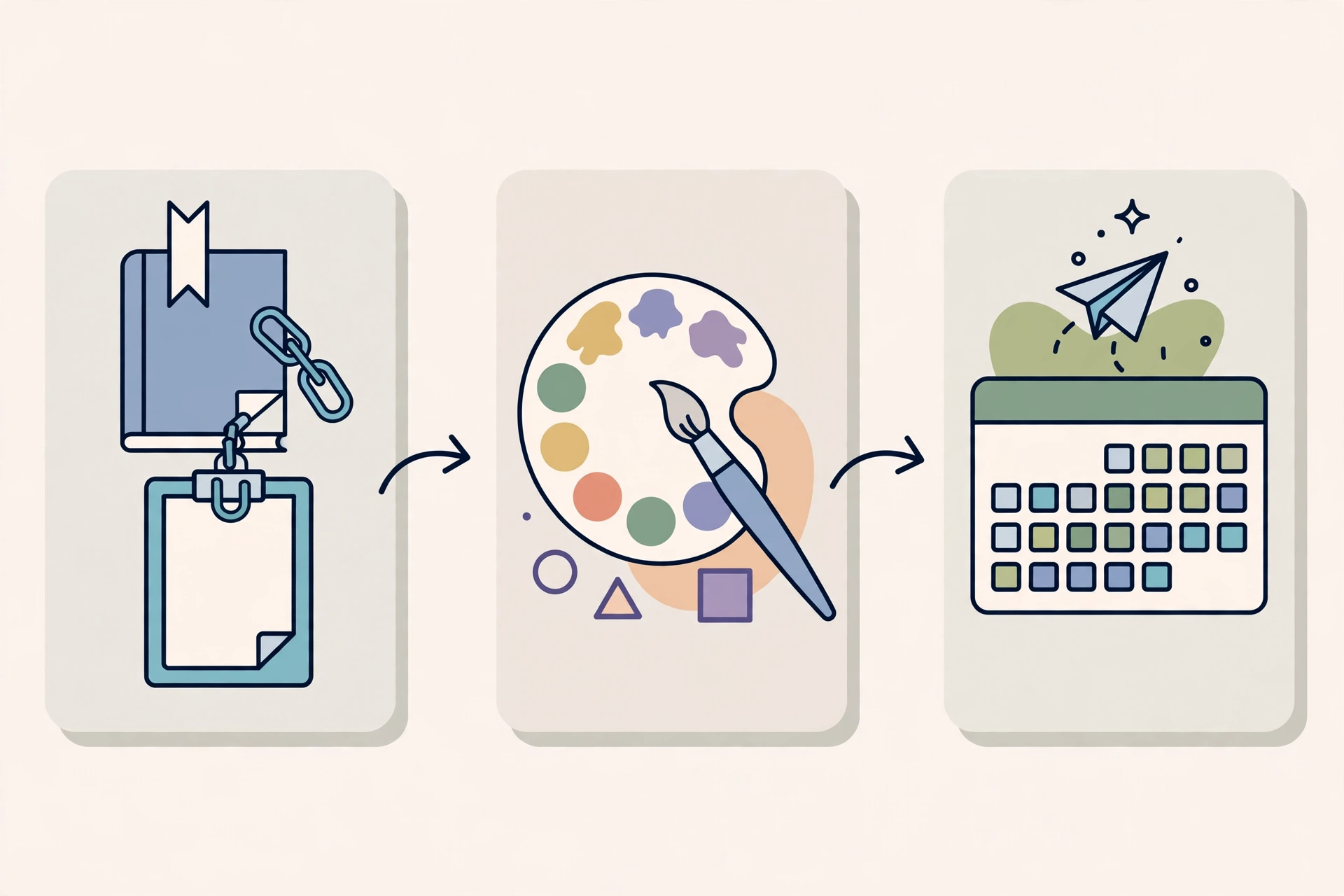
BookBloom is a book-promotion tool for authors and small publishers launched Friday, November 13, 2026 at 10:00 AM EST. The launch window was scheduled to close Wednesday, November 18 at 1:00 AM EST, but the cart was still open at checkout when re-checked on November 18 — the sales page now lists $27 while the checkout still totals $17. You paste your book’s Amazon link once, and BookBloom builds a full month of promotion from it: a 30-day plan of pins at different angles, AI artwork generated with your real cover placed on top, captions, a hosted book page for the traffic to land on, and a calendar export you import into Pinterest in one upload.
The buyer it is built for is specific: an author who published the book and then did nothing to promote it, tried Pinterest once with a single pin, cannot design, and will not pay an agency a monthly retainer for a book that earns a few dollars a sale. It also fits backlists — one live book, or an older title that never got a proper second run.
One honest line from the JV page matters more than the pitch: BookBloom prepares the month. It does not post the pins for you. You publish from your own Pinterest account, on the days the calendar says, at 3–5 pieces a day with a unique destination link per piece. The vendor presents that as the safer way to keep an account healthy — and it is — but buyers expecting full automation will be disappointed.
Key Features Worth Noting
- One link in, a month out — paste the Amazon listing and get 90 pieces (3 a day for 30 days), each at a different angle, not the same image with a new caption ninety times.
- Artwork from your real cover — 3–5 visual styles previewed with your own cover; the cover stays intact on a generated background, and every finished piece is yours to download.
- Captions from your book, not generic copy — the Book Content Engine reads a PDF or your opening chapters and pulls promotable material (sample, challenge, bonus, occasion); the AI Copywriter writes hooks, headlines and reader keyword phrases, editable line by line.
- A page you own — a hosted book page per book with your headline, copy, every store your book is sold in and a reader signup; it can grow into a website for all your books.
- Per-piece tracking — a unique destination link per piece, so you can see which angle actually gets opened, with no cookies and no visitor profiles.
- Promotion Finder and free channel catalog — the spots your book actually qualifies for, with eligibility answered from your book’s own facts, plus free promotion channels with each channel’s own stated rules recorded.
- KDP Research — search your genre the way a reader would and see what is actually listed, then title and keyword options written from your own book.
- Front end covers up to ten books — the $17 purchase is not limited to a single title.
Who Is BookBloom For?
BookBloom is for KDP and self-published authors, small publishers, and writers with a backlist who want a month of Pinterest promotion without learning design, hiring an agency, or paying a monthly subscription. Puzzle books, workbooks and journals get their own pin angles rather than generic quote pins, per the JV page.
It is not for you if you want traffic on autopilot (you publish the pins yourself), if you do not want to pay a few cents per pin to your own AI provider, or if you expect guaranteed sales — the vendor explicitly says a click is never a guaranteed sale, and this review does not promise one either.
BookBloom Pricing
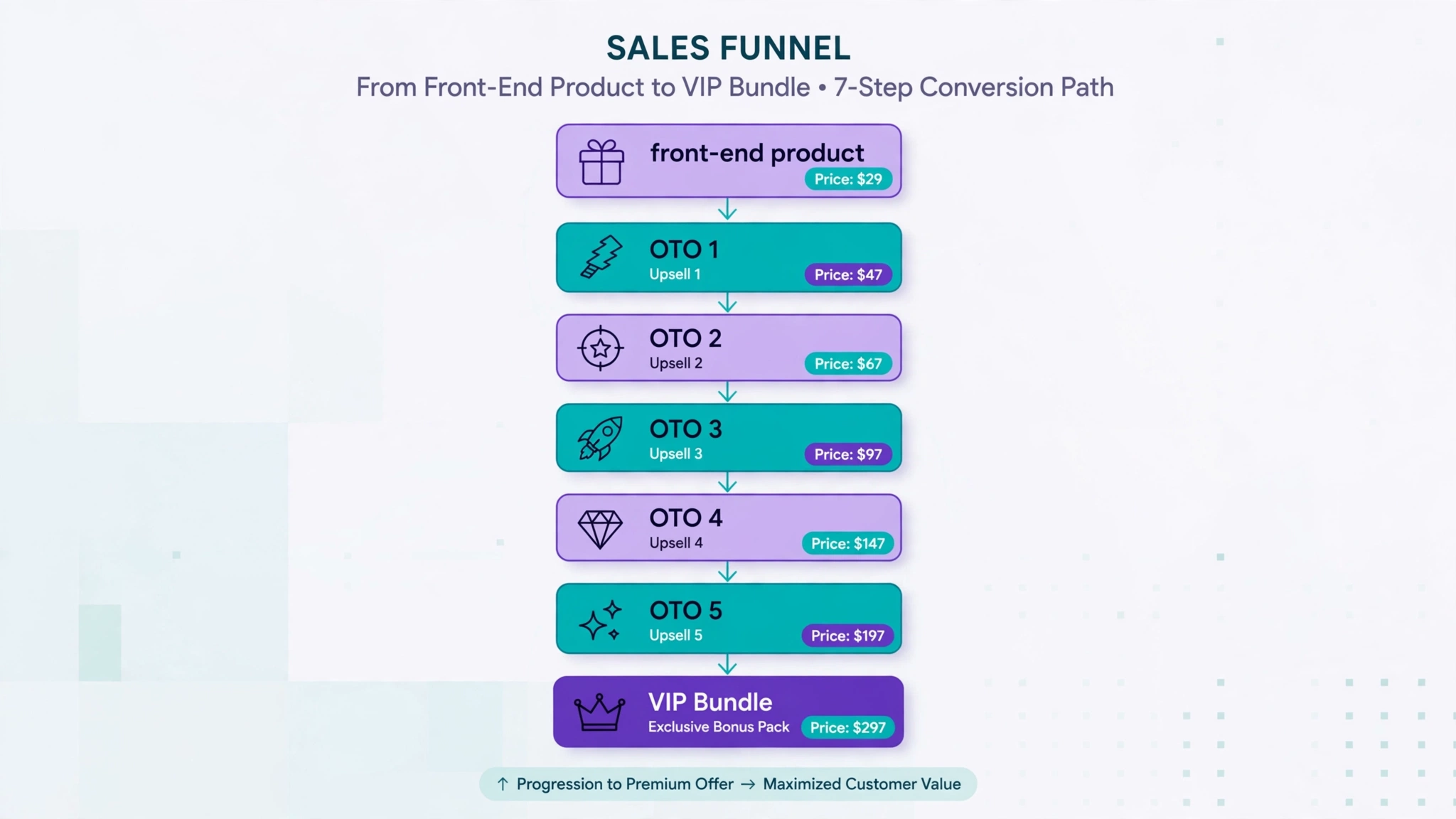
- Front End: BookBloom — $17 one-time at launch (list $27). Complete 30-day campaign workflow for up to ten books, AI artwork on your own AI key, hosted book page, artwork downloads, one-upload calendar export, per-piece destination links and click tracking, Promotion Finder.
- OTO 1: BookBloom Pro — $37. More active books, batch workflows, premium editable layouts, brand presets, next-month campaigns, Video Studio (storyboards and rendered clips), one-click publishing into your own Netlify account.
- OTO 2: BookBloom Traffic — $47. Free-promotion planner that finds the channels a book fits, a seven-day plan with a written lesson on every step, reusable promotion pack (hook, descriptions, five angles, keywords, channel drafts), guided publishing, plus ad images, carousels, store and outreach plans, platform copy and video without the monthly cap.
- OTO 3: BookBloom Reader Builder — $37. Companion-bonus creator, opt-in pages, bonus delivery workflow, email sequences, subscriber export and email integration.
- OTO 4: BookBloom Amazon Ads — $47. Amazon Ads campaign structure, keywords and product targets with starting bids, negatives, break-even cost per click from your own royalty, a demo ad, and a bulk file Amazon accepts in one upload.
- OTO 5: BookBloom Agency — $97. Client workspaces, client approval links, branded client reports, service packages, client-getting hub, and permission to sell client work.
- VIP Bundle — $197. All five upgrades in one purchase (Pro, Traffic, Reader Builder, Amazon Ads, Agency), a $68 saving against the $265 upgrade total; it carries Agency capacity, so thirty books at once.
- Refund policy: 30-day First-Campaign Guarantee — refund if you set up your first campaign, save your AI key and publish pins within 30 days; not a no-questions-asked refund (sales page / refund policy page).
Full breakdown, including what each upgrade is actually worth, in my BookBloom OTO guide. Launch timeline: cart opened November 13, 2026 at 10:00 AM EST (JV page; Muncheye listed 11:00 AM) and is live now — verified on the live checkout at 11:20 AM EST on launch day. The stated close was November 18 at 1:00 AM EST, but the cart was still open at checkout when re-checked on November 18 at 2:22 PM WITA, still totaling $17 (the sales page now lists $27). Prices above are verified on the live checkout. Note: the vendor’s JV page numbers the VIP bundle inconsistently in places, so verify its position at checkout.
>> Get BookBloom at the Launch Price
Pros and Cons (Honest)
Pros
- An unusually specific problem with a visible fix: paste a link you already have, see a month of your own book’s pins.
- Transparent funnel — every upgrade and price published on the JV page before launch, 50% commission throughout, $1,000 affiliate contest ($600/$300/$100).
- Honest sales page: it says traffic is what can be built and measured, a click is never a guaranteed sale, and it publishes the founder’s own KDP royalty history with its quiet months included.
- One-time $17 at launch (list $27), no subscription, and the front end covers up to ten books — cheap for a backlist author.
- Your cover stays intact and nothing invents reviews, awards or a bestseller badge — the JV page says so explicitly.
- Vendor with a track record on this blog’s network: Dpapa previously launched Pin2Profit AI on WarriorPlus.
Cons
- It does not post for you: the month is prepared, exported as a CSV, and published by you from your own Pinterest account. Anyone buying “automation” will feel misled if they skip this detail.
- Your own AI key is required: artwork costs live with Google, Claude or OpenAI (roughly a few cents a pin, per the JV page), plus a free Pinterest business account — on top of the $17.
- Some upgrade features are not live yet: the JV page lists Pro’s premium layouts, batch workflows, brand presets and next-month campaigns, plus parts of Traffic, Reader Builder and Agency, as “arriving as updates at no extra cost” — buy the upgrades for what they do today, not the roadmap.
- No guaranteed traffic or sales: Pinterest results depend on your books, genre and the work you put in — the vendor says so, and so do I.
- Proof is vendor-published: the royalty screenshots and campaign screens come from the founder’s own account, not independent verification.

Bonuses
The vendor lists no buyer bonuses on the JV page or sales page, so this review carries no bonus offer: there is no bonus page and no bonus claim process for BookBloom. The walkthrough, account blueprint, landing-page template and Promotion Finder are included front-end items, not bonuses. (Note: the “companion-bonus creator” in Reader Builder is a tool for creating bonuses for your own readers — it is not a purchase bonus from the vendor.)
FAQ
When does BookBloom launch?
Cart opened Friday, November 13, 2026 at 10:00 AM EST per the vendor’s JV page (Muncheye listed 11:00 AM EST) and is live now — verified at 11:20 AM EST on launch day. It was scheduled to close Wednesday, November 18 at 1:00 AM EST, but the cart was still open at checkout when re-checked on November 18, still totaling $17.
What does BookBloom cost?
$17 one-time at launch (list $27) for the front end, with upgrades at $37, $47, $37, $47 and $97, and a $197 VIP bundle containing all five upgrades. Full details in my BookBloom OTO breakdown.
Does BookBloom post my pins automatically?
No. It builds the 30-day plan, artwork, captions and page, and exports a CSV you bulk-import into Pinterest. You publish from your own account — which the vendor presents as the safer way to keep the account healthy.
What else do I need to pay for?
Your own AI key (Google, Claude or OpenAI), billed by that provider at roughly a few cents a pin, and a free Pinterest business account. There is no monthly fee to BookBloom itself.
Is there a money-back guarantee?
Yes — a 30-day First-Campaign Guarantee: if you set up your first campaign, save your AI key and publish pins within 30 days and it does not deliver, the vendor refunds in full. It is not a no-questions-asked refund — same-day refunds before setup are not covered. Full terms on the sales page refund policy.
Will BookBloom guarantee book sales?
No, and neither does this review. It builds a month of promotion and measurable clicks; sales depend on your book, genre and pricing.
Final Verdict
BookBloom is one of the more honestly presented launches in this cycle: a narrow, real problem (a published book with no promotion), a visible first-minute fix, a fully priced funnel, and a sales page that refuses to promise sales. The $17 launch price (list $27) is fairly priced for a month of promotion across up to ten books. Go in with eyes open: you do the publishing, you bring the AI key, and some upgrade features are still arriving as updates. If you are an author with a book — or a backlist — sitting invisible, it is a reasonable bet at launch pricing. If you want guaranteed readers, no tool in this category offers them.
Rating: 4.2/5 — Recommended with eyes open at the $17 launch price.
P.S. The cart was scheduled to close November 18, 2026 at 1:00 AM EST, but it was still open at checkout when re-checked on November 18, still totaling $17 (the sales page now lists $27). Verify the current price at checkout before buying — launch prices change.
Related reading: our VirialForge review for viral short-form video distribution, the Click Action AI review for an AI agent that does browser work for you, and the AI Agency Engine review for client-getting systems.
Affiliate disclosure: This is an independent review. If you buy through links on this page, I may earn a commission at no extra cost to you. My rating is based on research of the official JV page and sales page — including the flaws I found. I do not promise you book sales or Pinterest traffic, and neither does the vendor.