
Looking for the best AI tools for TikTok creators 2026? TikTok rewards speed, not budgets. A creator who can turn an idea into a polished vertical video in twenty minutes will out-post — and out-grow — someone waiting on a freelance editor.
In 2026 you can script, voice, edit, caption, score, thumbnail and schedule a TikTok with a stack that costs less than a single sponsored post. This guide picks one best tool per job, with verified pricing and one honest limitation each. Quick verdict: Pictory for video, Submagic for captions, and ElevenLabs for voiceover form the core stack for most creators — add Suno and Buffer when you are posting daily. Overall rating: 4.5/5.
Table of Contents
How We Picked These Tools
Every tool here had to clear four tests. First, it must output true vertical 9:16 video or assets sized for it. Second, it must be fast — if a tool takes longer than doing the job manually, it fails the point of AI. Third, captions and hooks matter more than polish. Fourth, every price below was verified against the vendor’s own pricing page, or a review citing it with a check date in October–November 2026. Prices verified November 2026 — confirm on the vendor’s site before buying, as AI tools reprice often.
Best AI Video Tool for TikTok: Pictory
Pictory turns a script, blog post or URL into a finished short video: it picks stock footage, adds captions and an AI voiceover, and exports in vertical 9:16. It is the fastest route from “I have an idea” to “I have a postable TikTok,” which is why our Best AI Video Generators for TikTok & Shorts in 2026 roundup also ranks it highly.
Standout features include script-to-video and URL-to-video conversion, millions of Storyblocks and Getty clips, automatic captions, and ElevenLabs-powered AI voices.
Pricing: Starter costs $29 per month billed monthly, or $25 per month billed annually. There is no free plan — only a 14-day trial (15 export minutes, 720p, watermarked, and downloads are blocked until you subscribe).
Best for: faceless creators, news and listicle accounts, and anyone repurposing written content into TikTok.
Honest limitation: every plan caps exports at 1080p, and heavy users burn through the credit-and-minute allowance faster than the headline numbers suggest.
Best Tool for Captions and Viral Clips: Submagic
Submagic is the finisher: you upload a raw clip and it adds animated word-by-word captions, B-roll, zooms, sound effects and silence removal, then exports a TikTok-ready vertical video. Its Magic Clips feature also cuts long videos into shareable shorts. If you already film yourself talking, Submagic is the single highest-impact tool on this list — captions are the difference between a swipe-past and a watch-through, as covered in our Submagic Review and in How to Make Viral Short-Form Videos with AI in 2026.
Standout features include dozens of animated caption styles in 48+ languages, auto B-roll and zooms, filler-word and silence removal, and a built-in scheduler.
Pricing: Starter costs $19 per month billed monthly, or $12 per month billed annually, for 15 videos a month (up to 2 minutes each). A free trial covers 3 videos, but exports carry a watermark until you pay.
Best for: talking-head creators, coaches, podcasters and anyone clipping long content into TikTok.
Honest limitation: pricing is per video — a daily poster will outgrow the 15-video Starter plan within two weeks and need the $39/month Pro plan.
Best AI Avatar Tool for TikTok: Synthesia
Synthesia creates talking-head videos from a script using realistic AI avatars — no camera, no microphone, no filming day. Type your script, pick one of 125+ stock avatars (or create a personal avatar of yourself), and export a presenter-style video. It also dubs into 140+ languages, a genuine edge for creators targeting audiences outside their home market.
Standout features include 125+ stock AI avatars, 3 personal avatars, an AI Video Assistant, one-click translation and dubbing, and the new Syren AI video agent.
Pricing: the Basic plan is free (10 minutes of video a month, watermarked, no downloads). Starter costs $19 per month billed monthly — the first month is $9. Annual billing lowers the price further; check the official pricing page for the current annual rate. Pro is $89 per month.
Best for: faceless explainer accounts, multilingual creators, and businesses that need a consistent on-camera “presenter” without filming.
Honest limitation: Synthesia was built for corporate training video, not TikTok — there is no 9:16-first workflow, no auto-caption styling for vertical shorts, and the credit system makes the true cost per video hard to predict. Humanify, a one-time-purchase avatar tool (reported front-end price around $16.99 via WarriorPlus), is a cheaper, rougher alternative — but treat it cautiously: its vendor site was unreachable when we checked on 7 November 2026.
Best AI Voiceover Tool for TikTok: ElevenLabs
ElevenLabs produces the most human-sounding AI voices available, and it is the voice engine behind half the faceless TikTok accounts you have watched without realising it. Paste a script, pick a voice, and download a natural voiceover with pauses, emphasis and emotion that older text-to-speech tools cannot match. Our ElevenLabs Review and our Best AI Voice Generators in 2026 roundup both rate it the quality leader.
Standout features include the Turbo v3 voice model, instant voice cloning from the Starter plan, a full commercial licence from Starter, and Dubbing Studio for translating existing videos.
Pricing: Starter costs $5 per month billed annually, or $6 per month billed monthly, for 30,000 credits a month. The free plan gives 10,000 credits a month but no commercial licence — you must pay at least Starter if you monetise your TikTok.
Best for: faceless storytime, horror, finance and history accounts — any format where the voice carries the video.
Honest limitation: 30,000 credits is roughly 30 minutes of audio, and Starter hard-stops at the limit — there is no overage billing.
Best AI Music Tool for TikTok: Suno
Suno writes and performs original songs from a text prompt — a 15-second lo-fi loop for a study TikTok, a punchy beat for a product demo, or a full jingle for your brand. Original music sidesteps the copyright strikes and muted-audio problems that come with trending sounds. See our Best AI Music Generators in 2026 roundup for how Suno compares with its rivals.
Standout features include the v6 model family, commercial rights on paid plans, stem separation for remixing your own tracks, and Suno Studio — a browser DAW — on the Premier plan.
Pricing: Pro costs $10 per month billed monthly, or $8 per month billed annually, for 2,500 credits and 20 song downloads a month. The free plan gives 50 credits a day for personal use only, with no guaranteed downloads.
Best for: creators who want original background music, brand jingles, or a signature sound for their account.
Honest limitation: since September 2026, downloads are capped at 20 songs a month on Pro (60 on Premier), and commercial use is tied to downloading within that allowance.
Best Tool for TikTok Thumbnails and Cover Art: Canva Pro
Canva Pro is the fastest way to make scroll-stopping TikTok covers. Its 9:16 templates, bold-text layouts and one-click Magic Resize cover the visual half of the click: the cover frame is what sells the video in search and on your profile grid. Our Canva Review and Best AI Design Tools in 2026 cover it in depth.
Standout features include Background Remover, Magic Resize, a full Brand Kit, 100M+ premium assets, and 1TB of storage.
Pricing: Pro costs $15 per month billed monthly, or $120 per year billed annually (about $10 a month). There is a generous free plan, and a 30-day free trial of Pro.
Best for: every TikTok creator — covers are the cheapest CTR win available, and Canva is the quickest tool for making them.
Honest limitation: Canva is a design tool, not a dedicated AI image generator — its AI image generation is capped and weaker than specialist tools. If you want AI-generated cover art, try Krea (Basic $9/month, or $5/month billed annually, with a free tier) or Recraft (Basic $12/month, or $10/month billed annually — its free images are public and carry no commercial use). Our Krea Review has the details.
Best Tool for Scheduling TikTok Posts: Buffer
Buffer is the simplest scheduler that treats TikTok as a first-class channel: queue a week’s videos in one sitting and let it publish while you film the next batch. Consistency is the single biggest growth lever on TikTok, and a scheduler is how solo creators stay consistent without living on their phone.
Standout features include direct TikTok publishing, a queue of up to 5,000 posts per channel on paid plans, first-comment scheduling, and analytics with unlimited history.
Pricing: Essentials costs $6 per channel per month billed monthly, or $5 per channel per month billed annually. The free plan covers 3 channels with 10 scheduled posts each.
Best for: daily posters, creators running TikTok alongside Instagram and Threads, and anyone batching content on weekends.
Honest limitation: Buffer charges per channel, so TikTok plus Instagram plus Threads costs three times the headline price.
Best Tool for TikTok Script Hooks and Ideas: Writesonic (Chatsonic)
Writesonic‘s Chatsonic assistant is a practical hook machine: feed it your topic and it drafts scroll-stopping opening lines, outlines and full scripts, with real-time web search so the ideas reference what is actually trending. It can switch between GPT, Claude and Gemini models, and its brand-voice feature keeps your scripts sounding like you.
Standout features include Chatsonic’s real-time web search, multi-model access, and brand-voice controls.
Pricing: Chatsonic’s Individual plan is listed at $16 per month billed annually ($20 per month billed monthly), with a free tier. One caveat: Writesonic has repositioned itself as an AI search-visibility platform, and its main pricing page now starts at $79 per month billed annually — confirm the Chatsonic plan is still sold at checkout before counting on the $16 figure.
Best for: creators who stare at a blank notes app every morning, and anyone who wants ten hook options to test instead of one.
Honest limitation: the company has pivoted toward enterprise SEO, so the cheap Chatsonic tier may not survive — and at $79 a month, the main platform is far too expensive for a TikTok creator.
Best AI Tools for TikTok Creators 2026 at a Glance
| Tool | Best for | Starts at | Free tier |
|---|---|---|---|
| Pictory | Video from text or URL | $29/mo ($25/mo annual) | 14-day trial only |
| Submagic | Captions and viral clips | $19/mo ($12/mo annual) | 3-video trial |
| Synthesia | AI avatar talking-heads | $19/mo (first month $9) | Yes — 10 min/mo, watermarked |
| ElevenLabs | Voiceover | $5/mo annual ($6/mo monthly) | Yes — 10,000 credits/mo |
| Suno | Original music | $10/mo ($8/mo annual) | Yes — 50 credits/day |
| Canva Pro | Thumbnails and covers | $15/mo ($120/yr) | Yes |
| Buffer | Scheduling and posting | $6/channel/mo ($5 annual) | Yes — 3 channels |
| Writesonic (Chatsonic) | Script hooks and ideas | $16/mo annual | Yes |
Frequently Asked Questions
What is the best AI tool for TikTok beginners?
Start with Submagic and Canva’s free plan. Captions and covers are the two cheapest wins on TikTok. Add ElevenLabs Starter ($5/month) the moment you want faceless voiceover.
Can I make TikTok videos entirely with AI?
Yes — script with Chatsonic, voice with ElevenLabs, visuals with Pictory or Synthesia, music with Suno, captions with Submagic, and schedule with Buffer. But the best-performing accounts still add one human element: your own opinion, footage, or story. Pure AI output without a point of view blends into the feed.
Do I need a paid plan to start?
No. ElevenLabs, Suno, Canva, Buffer and Synthesia all have usable free tiers, and Pictory and Submagic offer free trials. Start free, find the tool that saves you the most time, and pay for that one first.
Will TikTok penalise AI-generated videos?
TikTok does not ban AI-assisted content, but it requires AI-generated content to be labelled, and the algorithm rewards watch time and originality — not the tool you used.
How much does a full AI TikTok stack cost?
On annual billing, the core stack — Pictory Starter ($25), Submagic Starter ($12), ElevenLabs Starter ($5), Suno Pro ($8), Canva Pro ($10) and Buffer Essentials for one channel ($5) — totals about $65 a month. Start with the two or three you will use daily.
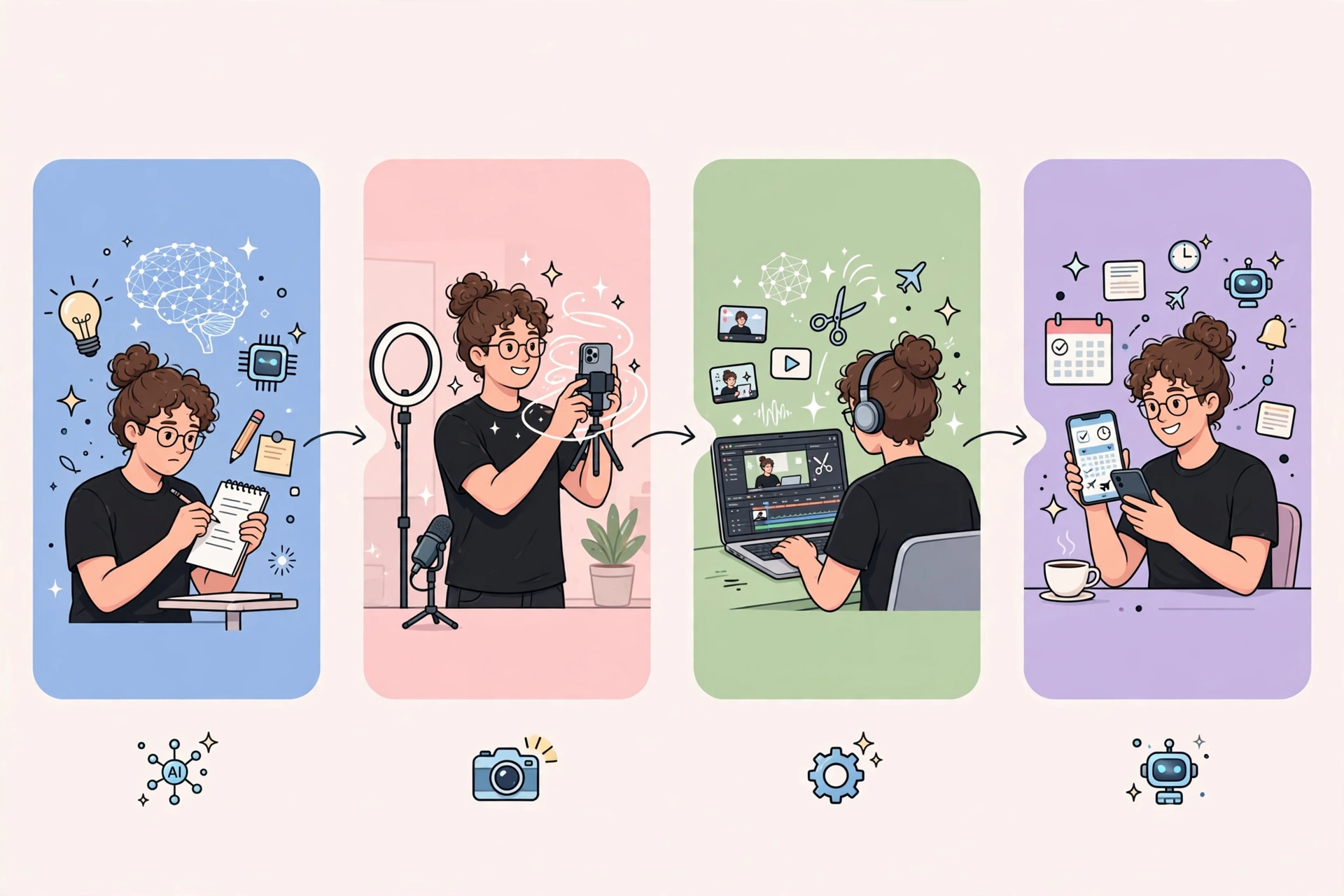
Verdict: The Best AI Tools for TikTok Creators 2026
There is no single “best” AI tool for TikTok — there is a best tool for each job, and the winning stack depends on how you create. Among the best AI tools for TikTok creators 2026, Faceless TikTok creators should start with Pictory for video, ElevenLabs for voiceover and Suno for music: that trio can produce a full channel without ever appearing on camera, for about $38 a month on annual billing.
Talking-head creators get the most from Submagic for captions and clips plus Canva Pro for covers — the two tools that directly lift watch time and click-through. Brands and sellers on TikTok Shop should add Synthesia for consistent presenter videos in multiple languages and Buffer to keep product demos posting on schedule. Start free, pay for the tool that saves you the most time first, and remember that AI makes the video — you still have to make it worth watching. Overall rating: 4.5/5.
Affiliate Disclosure: This article contains no affiliate links. Links go to the official sites of the tools mentioned, and we earn nothing if you buy through them.