
pixlr review starts with a question that has followed this editor since 2008: can a free browser-based editor really replace Photoshop for everyday work? Pixlr is a browser-based photo editor and AI image platform with three editors under one account: Pixlr E for advanced editing, Pixlr Express for quick edits, and Pixlr Designer for template-based design. In 2026 it repositioned itself as an AI-first creative platform. This guide covers what it does, what it costs, and who should pay for it.
Table of Contents
What Is Pixlr?
Pixlr is a browser-based image editor with a growing layer of AI tools on top. It was founded in 2008, acquired by Autodesk in 2011, and later sold to the Inmagine Group in 2017. Today it reports more than 500 million registered users across 160 countries. One account covers web, desktop, and mobile, and one subscription unlocks all three editors.
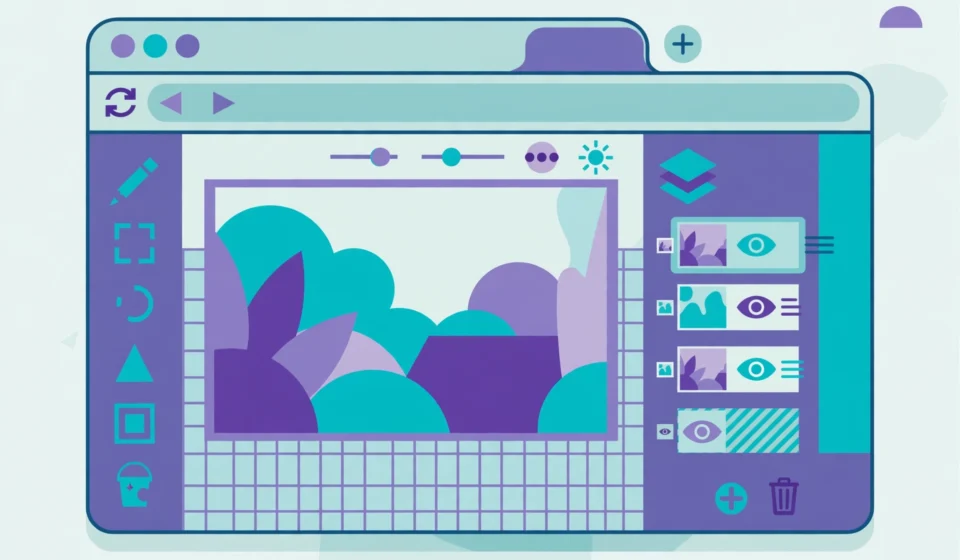
The core idea is zero-install editing. You open a browser tab and get layers, masks, filters, and retouching, plus AI generation, background removal, and object removal. The free tier is genuinely usable for basic edits, and the paid plans mostly buy AI credits and remove ads and save caps.
What This Pixlr Review Found: Key Features
Three editors in one account. Pixlr E is the advanced editor with layers and masks, Pixlr Express is the quick editor with social templates, and Pixlr Designer is the template-based graphic design tool. You switch between them without changing accounts.
AI background removal and object removal. One-click background removal is free to try, and it is one of the tools that consumes AI credits, which is where the free allowance runs out first.
AI image generation. Text-to-image, face swap, AI upscale, and text-to-video and text-to-audio on higher plans. Premium unlocks all image, video, and audio models; Ultra adds unlimited fast image generations and priority queue.
Private mode on Premium. Premium generations are private, meaning your creations are not used for training. That matters for client work and for anyone editing sensitive images.
Templates, fonts, and stock. A large library of templates, fonts, and elements for social posts, thumbnails, and ads. If you need a full design suite instead, see our Photoshop Review for the pro standard.

Pixlr Pricing
Prices below come from the official Pixlr pricing page (pixlr.com/pricing), rechecked 11 September 2026. Prices are in US dollars; the page shows local currency with tax included. Payment is by card or PayPal, and you can cancel any time.
| Plan | Price (monthly billing) | Price (annual billing) | AI credits/month | Key limits |
|---|---|---|---|---|
| Free | $0 | $0 | ~20 (new user) | Ads, daily cap on saves, limited AI features |
| Plus | $2.49/month | $1.99/month | 80 | Ad-free, unlimited saves, 1 concurrent AI generation |
| Premium | $9.99/month | $7.99/month | 1,000 | All models, 4 concurrent generations, private mode, priority support |
| Ultra | From $24.99/month | From $19.99/month | Up to 10,000 | 8 concurrent generations, unlimited fast generations, priority queue |
| Ultra MAX | $49.99/month | $39.99/month | Double Ultra | Enhanced pro model allocation |
A 7-day Premium trial with 250 credits is offered inside the app. Credits reset when the subscription renews and do not roll over. Pixlr states that no refunds are issued once payment is processed, so test the free tier and the trial before paying. For a product-photo specialist instead, see our Topaz Photo AI vs PhotoRoom comparison.
Pixlr Review: Pros and Cons
Pros:
- Free tier is genuinely usable for basic editing, with watermark-free exports.
- Plus at $1.99 a month on yearly billing is one of the cheapest paid plans in photo editing.
- Three editors cover quick edits, advanced retouching, and template design in one account.
- Works in any browser with nothing to install, on web, desktop, and mobile.
- Premium at $9.99 a month is a fair price for 1,000 AI credits and private mode.
- AI generation, face swap, upscale, and object removal are all included.
Cons:
- Free tier shows ads and caps daily saves, and the save cap is not published anywhere.
- Plus gives only 80 AI credits a month, which runs out fast if you generate regularly.
- Trustpilot lists Pixlr at 1.7/5, with most one-star reviews about billing complaints.
- No refunds once payment is processed, according to the pricing page.
- AI output quality trails dedicated image generators for complex prompts.
- It is not a Photoshop replacement for print production, CMYK, or Camera Raw work.
Who Should Use Pixlr?
Pixlr fits casual creators, social media managers, and small businesses that need quick edits, thumbnails, and social graphics without installing software or paying Adobe prices. Premium at $7.99 a month on yearly billing is the realistic tier for anyone who uses AI generation weekly. It is also a good fit for students and for teams that work across several devices.
It is a poor fit for professional retouchers, print production, and anyone who needs deep colour management or Camera Raw. If you edit portraits for clients, a dedicated retoucher like Luminar Neo will serve you better.
FAQ
Is Pixlr really free? Yes, the free plan includes the full editing toolset with watermark-free exports, but it shows ads, caps daily saves, and gives new users only about 20 AI credits. Paid plans start at $1.99 a month billed yearly.
Can I use Pixlr without installing anything? Yes, it runs entirely in the browser, and the same account works on web, desktop, and mobile.
What is the difference between Pixlr E and Express? Pixlr E is the advanced editor with layers and masks for detailed work. Pixlr Express is the quick editor with one-click fixes and social templates. Pixlr Designer is the third app, for template-based graphic design.
Is Pixlr worth it compared with Photoshop? This Pixlr review finds it worth it for quick edits and social graphics at a fraction of the price, but not as a Photoshop replacement. Compared with Adobe Creative Cloud at roughly $70 a month, every Pixlr tier is a different order of magnitude, but it only covers the workflows it covers.
Can I get a refund? Pixlr states that no refunds are issued once payment is processed, so use the free tier and the 7-day Premium trial first.
Verdict
Pixlr is the cheapest honest way to edit photos in a browser. The free tier covers real work, Plus removes the friction for $1.99 a month, and Premium is a fair $9.99 a month for regular AI use. The trade-offs are the ad-supported free tier, modest credit allowances on the lower plans, billing complaints on Trustpilot, and a no-refund policy. For quick edits and social graphics, it earns its place. For professional retouching or print, look elsewhere.
Rating: 4.0/5. Cheap, capable, and install-free, held back by thin AI credits on the lower plans and a weak billing reputation.
Sources: Pixlr official pricing page (pixlr.com/pricing, rechecked 11 Sep 2026); Pixlr review with pricing recheck (11 Sep 2026); Pixlr review (updated 20 Oct 2026); Trustpilot rating via June 2026 pricing analysis. Prices change often, so verify the current price on the official site before buying. No affiliate link is included in this article: no Pixlr affiliate program could be verified from official sources, so there is no signup to report.