

evoto review starts with a simple question for portrait and wedding photographers: what if retouching a thousand photos cost cents per image instead of hours of your evening? Evoto AI is a credit-based portrait retouching tool that edits for free and charges only when you export. It is built for high-volume portrait work, not for general photo editing. This guide covers what it does, what it costs per photo, and who should pay for it.

Table of Contents
What Is Evoto?
Evoto AI is an AI-powered photo editor for professional retouching, especially portraits. It runs on desktop, mobile, iPad, and online, and it covers the whole portrait workflow: culling, retouching, colour, backgrounds, and delivery in one tool. Editing and previewing are completely free. You pay only when you export a finished photo, which is usually one credit per image.
The model is pay-per-export, not pay-per-month. That makes Evoto cheap for photographers with seasonal volume: a wedding season costs more, a quiet month costs nothing. Version 8.0, released in September 2026, added culling that groups a wedding into its story, plus a video retouching plugin for DaVinci Resolve.
What This Evoto Review Found: Key Features
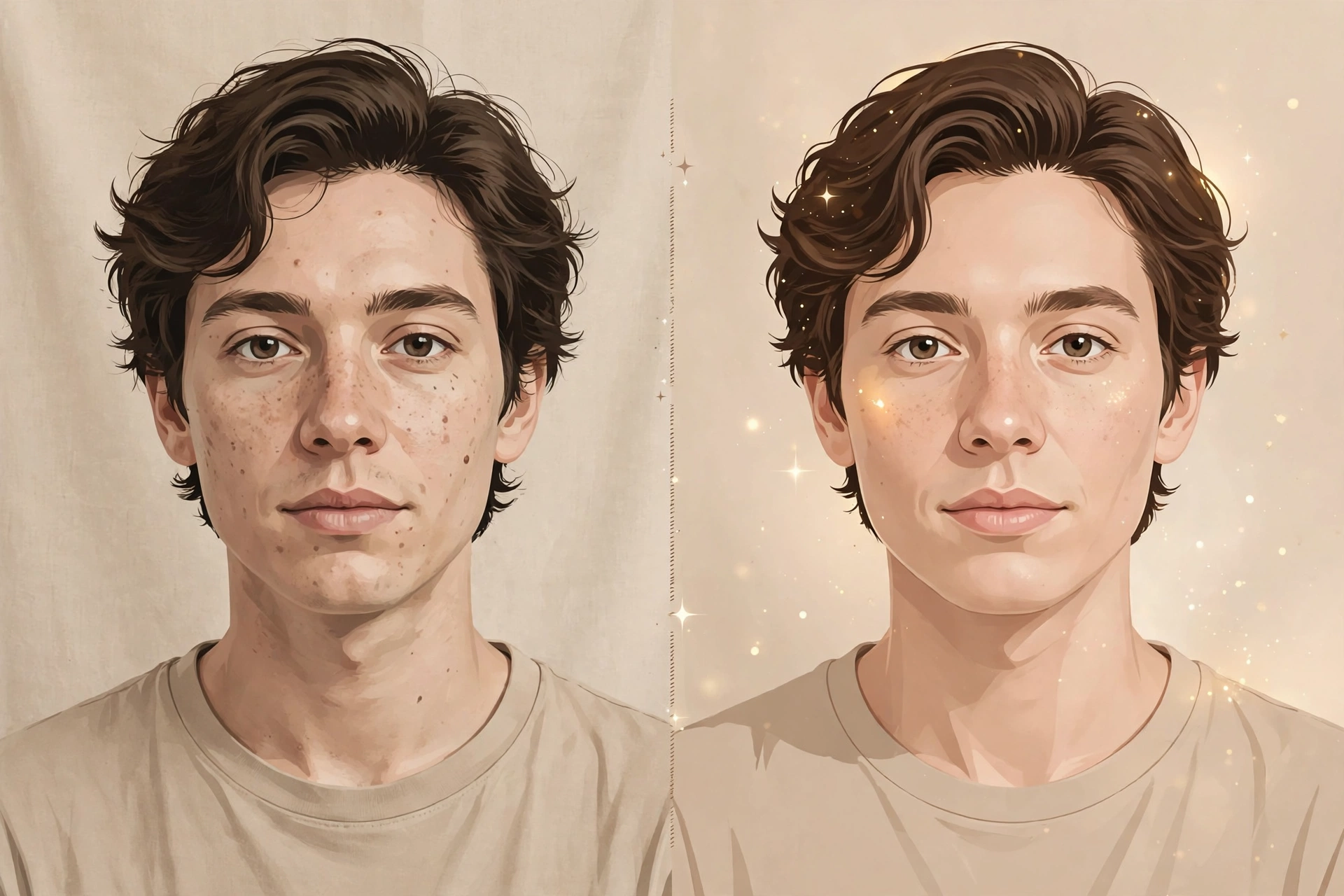
AI portrait retouching. Skin smoothing, blemish removal, teeth whitening, eye enhancement, and body shaping, applied consistently across a whole shoot with one-click presets. Retouching stays natural rather than plastic when you keep the strength moderate.
Batch retouching. Apply the same retouch to hundreds of portraits at once, then fine-tune individuals. This is where Evoto earns its keep for wedding and school photographers.
Culling and presets. Version 8.0 groups a wedding into its story for faster selection, and you can save your own presets or buy presets from other creators through the Evoto Asset Hub.
AI Lab extras. Generative tools such as the Clothes Color Changer and AI Old Photo Restoration cost more than the standard one credit per export (up to 8 credits per generation for some features), so check the price shown before you use them.
Video retouching plugin. A DaVinci Resolve plugin brings Evoto retouching to video, which is rare among portrait tools. For a general-purpose AI editor instead, see our Photoshop Review.

Evoto Pricing
Prices below come from the official Evoto pricing page (evoto.ai/payment), checked 28 October 2026. Prices are annual list prices in US dollars; first-year discounts are often offered (Starter from $58 in the first year instead of $89).
| Plan | Annual price | Credits | Devices | Cost per photo* |
|---|---|---|---|---|
| Starter | $89/year | 800 | 2 | ~$0.11 |
| Basic | $149/year | 1,600 | 3 | ~$0.09 |
| Basic Plus | $269/year | 3,600 | 4 | ~$0.07 |
| Standard | $579/year | 9,000 | 5 | ~$0.06 |
| Standard Plus | $1,339/year | 24,000 | 6 | ~$0.05 |
*At one credit per exported photo for most features. Monthly plans also exist, from about $10.99 a month for Starter (60 credits), but yearly plans cost far less per credit. Pay-as-you-go credit packs are $49 for 200 credits, $89 for 500, $169 for 1,200, and $459 for 3,600, valid for two years. New accounts get 50 free credits, and Starter, Basic, and Basic Plus yearly plans include a 7-day free trial. Unused subscription credits roll over when you renew, but they are lost if you let a yearly plan lapse for more than 30 days. For a one-time-purchase retouching alternative, see our Luminar Neo Review.
Evoto Review: Pros and Cons
Pros:
- Editing and previewing are free; you pay only per exported photo.
- Very cheap per photo at volume: about $0.05–$0.11 depending on plan.
- Batch retouching saves hours on weddings and school shoots.
- Unused credits roll over on renewal.
- Works on desktop, mobile, iPad, and online with the same credit pack.
- Culling and the DaVinci Resolve plugin cover more of the workflow than most retouchers.
Cons:
- It is a retouching tool, not a full photo editor; most photographers still keep Lightroom for raw editing and colour.
- The credit model punishes low-volume users: pay-as-you-go costs two to three times more per photo than a yearly plan.
- Some AI Lab features cost up to 8 credits per generation.
- Credits are lost if a yearly plan lapses for more than 30 days.
- Retouching can look overdone if presets are applied at full strength.
- An AI headshot generator launched in January 2026 was later withdrawn, which dented trust with some photographers.
Who Should Use Evoto?
Evoto fits portrait, wedding, and school photographers who retouch hundreds of photos per shoot and want a predictable cost per image. Basic Plus at $269 a year is the sweet spot for a working portrait photographer: 3,600 credits bring each photo to well under 10 cents. It also fits studios that want the same presets applied consistently across several retouchers.
It is a poor fit for casual editors, landscape photographers, and anyone who retouches a handful of photos a month; pay-as-you-go pricing makes those exports expensive. If you want a flat monthly fee with unlimited images, look at a subscription retoucher instead. For enhancement-first editing, see our Topaz Photo AI Review.
FAQ
Is Evoto free? Editing and previewing are free, and new accounts get 50 free export credits to test the full features. You pay only when you export an edited photo, usually one credit per image.
How do Evoto credits work? Most exports cost one credit per photo. Credits come from a yearly plan (800–24,000 a year) or a pay-as-you-go pack ($49 for 200 credits and up). Re-editing a photo you already exported costs nothing extra within the same project.
Does Evoto replace Lightroom? No. Evoto is a retouching tool, not a full photo editor. Most photographers keep Lightroom for raw editing and colour, and use Evoto for skin, batch retouching, and delivery.
What happens to unused credits? Unused subscription credits roll over when you renew, but they are lost if you let a yearly plan lapse for more than 30 days. Pay-as-you-go credits last two years.
Is Evoto worth it for wedding photographers? This Evoto review finds it worth it at volume: a 3,600-credit Basic Plus plan covers several weddings a year at about 7 cents a photo, and batch retouching saves a full evening per wedding.
Verdict
Evoto is the cheapest honest way to retouch portraits at volume. The pay-per-export model is fair: free to edit, a few cents to export, and cheaper the more you shoot. Batch retouching, culling, and the video plugin make it a real workflow tool rather than a filter app. The trade-offs are real too: it is not a Lightroom replacement, low-volume users pay more per photo, and lapsed plans lose credits. For working portrait photographers, it earns its place. For occasional editors, the free credits are enough to test, and the yearly plans are easy to skip.
Rating: 4.4/5. Excellent value per photo for high-volume portrait work, held back by a credit model that penalises light users and by its narrow retouching-only scope.
Sources: Evoto official pricing page (evoto.ai/payment, checked 28 Oct 2026); Evoto help centre on credits; independent Evoto pricing reviews (checked 21–28 Oct 2026). Prices change often, so verify the current price on the official site before buying. No affiliate link is included in this article: Evoto has no cash affiliate program we could verify — it runs a referral program that pays in credits and an Asset Hub Creator Program for selling presets (60% revenue share) — so there is no affiliate signup to report for the software itself.