
How to make viral short form videos with AI in 2026: hook first, script short, generate visuals, edit for retention — this guide walks through the five steps.
Disclosure: This guide contains no affiliate links. Tool names are mentioned for illustration only; check each tool’s current pricing and terms before you buy.
Short-form video is won or lost in the first two seconds. AI tools can now script, generate, voice, caption, and cut a vertical video in under an hour — but the tools do not supply the idea, the hook, or the taste. This guide gives you a repeatable workflow that works on TikTok, Instagram Reels, and YouTube Shorts, plus the mistakes that quietly kill reach.
Table of Contents
Step 1: Start with the hook, not the tool
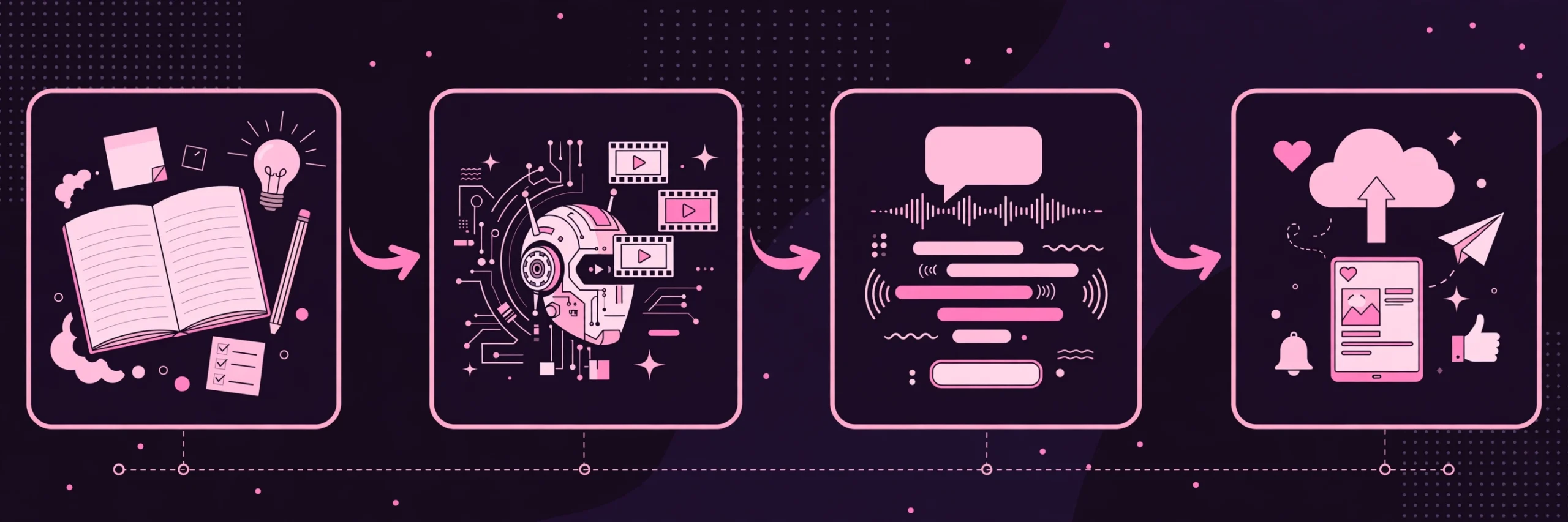
Write five one-sentence hooks before you open any generator. That is the first step of how to make viral short form videos with AI in 2026: each hook should make a clear promise or open a question in one sentence — no greetings, no “in this video.” Formats that consistently work: contrarian (“Stop posting every day. Here’s what actually grew my account”), specific result (“This one change doubled our Reel views in 30 days”), pattern interrupt (open mid-sentence or with a visual that doesn’t match the audio), and curiosity gap (“Nobody talks about the second rule of the algorithm”). Pick the strongest; keep the rest for A/B tests.
Step 2: Script short — 20 to 45 seconds
For Reels and Shorts, 20–45 seconds is a strong default; 60–80 words fits roughly 30 seconds of voiceover. Write the voiceover first, then list the visual each line needs. Keep sentences short and conversational, at roughly an 8th-grade reading level — short words and short lines raise completion rate. End with either a soft call to action that invites comments or a last line that loops back to the opening, which encourages replays on Shorts.
Step 3: Generate visuals the right way
Set the format to 9:16 vertical before generating, and keep each clip around 5 seconds — short clips are faster to iterate on and easier to cut. Use image-to-video when you have a real product or person to feature, text-to-video for generic B-roll and imaginative scenes, and templates for the hook shot. Front-load motion: the first frame should already be moving (“explodes,” “snaps into frame,” “whips around”). Center the subject, since vertical crops punish off-center compositions, and use high contrast and bright color, which read better on small phone screens. Do not bake on-screen text into the generation — AI-generated text is often garbled; add captions in the editor instead.
If you use a talking avatar for the presenter part, our guide to the best AI talking-head video generators in 2026 covers which tools suit short-form, and AI video generators for TikTok and Shorts compares tools built for this format.
Step 4: Edit for retention, not for beauty
Drop clips into your editor (CapCut is the common default), add the voiceover, bold word-by-word captions — most viewers watch muted — and a trending or licensed sound. Change the visual every 2–3 seconds with B-roll, zooms, or text pops. Keep important text away from interface elements that cover it during playback, and use readable fonts with high-contrast captions and clean line breaks. Cut every pause and every line that slows the video down; a fast video isn’t automatically effective, but a slow one rarely survives the feed.
Step 5: Post natively, then measure one metric
Publish with the platform’s native tools where possible, and track watch time and the 3-second hold rate first — they predict distribution better than likes. Post the same video with two different hooks as trials, compare watch time and shares, then share the winner widely. Double down on hooks that work and retire formats that don’t after a fair test, not after one flop.
Platform tweaks that matter
TikTok rewards authentic, inviting content — duets, stitches, and native editing can lift reach. Instagram Reels leans a bit more polished, and trending sounds help. YouTube Shorts rewards loops: an ending that refers back to the opening triggers replays. One video can serve all three, but re-cut the hook and captions per platform rather than cross-posting blindly.
Common mistakes
Starting with a logo sting or greeting instead of the hook; generating horizontal video and cropping it; letting the avatar or AI voice carry a weak script; adding captions that the app’s buttons cover; and chasing a new tool every week instead of testing hooks. AI removes production friction — it does not remove the need for a good idea, and viewers can tell instantly when the idea is missing.
FAQ
How long should an AI short-form video be? 20–45 seconds is a strong default for Reels and Shorts when you are learning how to make viral short form videos with AI in 2026; 15–30 seconds works well for fast tips and product demos.
Do I need to show my face? No. Faceless formats — stock B-roll, avatars, screen recordings, text-led explainers — all perform when the hook and pacing are strong.
How many videos should I post per week? Consistency beats volume: three Shorts per week is a realistic starting cadence while you learn which hooks hold attention.

Verdict: How to Make Viral Short Form Videos with AI in 2026
The workflow is simple: five hooks, one tight script, short vertical clips, captions and a sound, native posting, then measure the 3-second hold rate. AI makes each step faster, but the hook you write before touching any tool is still the thing that decides whether anyone watches past second two.