
Table of Contents
AI Video Generators for Agencies: What Actually Scales
Every AI video tool promises to save your agency time. Very few survive contact with a real client roster. The difference is rarely the quality of a single demo video — it is what happens at video number forty, for client number eleven, when three editors are sick, a brand manager wants revisions, and the client asks who actually owns the footage.
This guide looks at AI video generators through an agency lens: volume, cost per finished video, brand control, client approvals, and the commercial terms that let you legally hand the work over. Prices below were verified in October 2026 and can change — always confirm the live pricing page before you buy.
What “scales” actually means for an agency
For a solo creator, scaling means making more videos. For an agency, it means something stricter: the eleventh client must be as cheap and as consistent as the first. Five things decide whether a tool clears that bar.
1. Volume without a cost cliff
Most AI video tools meter usage — minutes, credits, or generations. A plan that looks cheap for ten videos a month can become expensive at fifty. Before committing, work out your real monthly output: count finished minutes, not drafts, and remember that re-renders after client revisions also consume allowance on many platforms.
2. Cost per finished video
Divide the monthly plan price by the number of client-ready videos you actually ship, including revisions. A $119-per-month team plan that ships 60 videos costs about $2 per video; a $29 plan that only ships 8 costs more per unit. Agencies should budget per deliverable, not per seat.
3. Brand control across clients
Each client needs their own look: logo, colors, fonts, voice, and presenter style. Tools with per-client brand kits keep Client A’s assets from leaking into Client B’s videos. Without that separation, every new client adds manual checking work — the opposite of scaling.
4. A client approval workflow
AI tools generate fast, but clients still review slowly. A tool that scales needs shareable previews, guest or reviewer seats, and a way to collect feedback without handing over the whole account. If every revision means exporting, emailing, and re-importing, the tool is not saving you time.
5. Commercial rights you can hand over
Read the license, not the marketing page. You need terms that explicitly allow delivering videos to clients and using them in paid advertising. Some platforms restrict commercial use on lower tiers, and some avatar tools restrict paid ads featuring stock avatars. If the license does not cover client delivery, the tool is a hobby expense, not an agency asset.
Tool categories that fit agency workflows
Agency video work falls into four buckets, and different tools win in each. Most agencies end up with two tools, not one: a workhorse for volume and a specialist for a particular format.
Avatar presenters for training, explainers, and announcements
Avatar tools turn a script into a presenter-led video without cameras, studios, or scheduling talent. They are strongest for corporate explainers, onboarding videos, product updates, and multilingual versions of the same script. They are weakest for trend-led social content, where a scripted avatar can feel out of place.
Synthesia is the reference point in this category. Its self-serve plans start with a free Basic tier (10 minutes of video per month, 9 avatars, watermarked, no downloads), then Starter at $18 per month billed yearly ($29 month to month) and Creator at $64 per month billed yearly ($89 month to month). Creator adds API access, branded pages, and more personal avatars, while Enterprise is custom-priced with SSO, SCORM export, and dedicated support. Support for 160+ languages makes it a strong pick for agencies localizing the same script for multiple markets. The honest limit: it is one of the more expensive options per finished minute at the low end, so it fits agencies selling presenter-led content, not bulk short-form volume.
Budget launch tools in the same family, such as Humanify, trade Synthesia’s enterprise polish for one-time launch pricing and agency-style upgrades in the funnel. They can be a smart side purchase for a small agency, but expect thinner support, fewer languages in practice, and a product that evolves through launch upgrades rather than a stable roadmap. Read our Humanify vs Synthesia comparison before deciding which tier of avatar tool your clients actually need.
Script-to-video and repurposing for content volume
If your agency turns blog posts, articles, and long recordings into social clips, a repurposing tool is the workhorse. Pictory is built for exactly this: article-to-video conversion, highlight extraction from long videos, and stock footage matched to a script. Its pricing is minute-based, which makes agency budgeting straightforward. Starter costs $25 per month billed yearly ($29 monthly) with 200 video minutes and 1 brand kit; Professional costs $35 per month billed yearly ($59 monthly) with 600 minutes and 5 brand kits; Teams costs $119 per month billed yearly ($199 monthly) for 3+ users with 1,800 shared minutes and 10 brand kits. For a small agency, Professional is usually the sweet spot; Teams only earns its price once several editors genuinely share one workspace.
The limit to be honest about: automated stock matching sometimes misses niche topics, and output at default settings has a recognizable templated feel. For client work, budget a human pass to swap mismatched scenes and tighten the script — the tool amplifies a good brief, it does not replace one.
Cartoon and animated storytelling for niche channels
Animated explainers and kids’ or storytelling channels are a different production problem: character consistency across scenes matters more than photorealism. RocketToons AI, launched 31 October 2026 by Tim Verdouw and Ankit Mehta, turns a prompt or script into animated stories with a character design engine and a continuity system that keeps characters recognizable across scenes. Launch pricing was advertised at $27 for the front-end offer, with a Commercial edition at $37, Pro at $47 (including 1080p export, a multi-track timeline, and five team seats), and a Reseller tier at $97–$197 for 25–100 client accounts.
For agencies, the reseller and team-seat angles are the interesting part: they let you sell cartoon content as a service rather than just using the tool internally. The caution is equally real: this is a launch product, so long-term support, rendering capacity, and feature stability are unproven compared with subscription incumbents. Buy it for a defined use case — a cartoon series or animated ad format you can sell repeatedly — not as a general-purpose replacement.
Short-form and viral-format specialists
Short-form client work — Reels, Shorts, TikTok — rewards speed and format fluency over production depth. Tools in this bucket, including launch products like TwinClips AI, ViralDashboard AI, and VirialForge, focus on turning ideas, scripts, or trending formats into vertical clips quickly, often with one-time launch pricing and commercial licenses aimed at resellers. They are best treated as format specialists inside a wider stack: use them to produce the volume, then run a human quality pass before anything reaches a client.
Our guide on how to make viral short-form videos with AI in 2026 covers the workflow side — hooks, pacing, and captions — which matters more than the tool choice for this format. And if your clients want presenter-led short-form rather than faceless clips, our roundup of the best AI talking-head video generators compares the avatar options head to head.
Honest pros and cons per recommended option
Synthesia — best for presenter-led corporate and multilingual work
Pros: 160+ languages with one-click translation, strong brand and enterprise controls on higher tiers, API access on Creator, predictable avatar quality clients recognize.
Cons: Expensive per finished minute at the low end; the free tier is watermarked and cannot download; guest seats are limited on self-serve plans, so larger teams need Enterprise pricing.
Pictory — best for repurposing and content volume
Pros: Minute-based pricing that is easy to budget, strong article-to-video and highlight workflows, brand kits from the entry tier, a real team plan with shared minutes.
Cons: Automated scene matching needs a human check on niche topics; output can look templated without editing; generative AI features draw on a separate credit pool on top of minutes.
RocketToons AI — best for animated series and cartoon client offers
Pros: Character continuity across scenes, one-time launch pricing, team seats on Pro, and a reseller tier for selling cartoon services directly.
Cons: New launch product with unproven long-term support; cartoon output suits storytelling niches, not corporate or premium brand work; launch prices rise after the launch window.
Short-form launch tools (TwinClips AI, ViralDashboard AI, VirialForge) — best as cheap volume specialists
Pros: Very low entry cost, fast vertical output, commercial licenses aimed at client work.
Cons: Launch products vary in quality and support; expect to replace or supplement them as your agency matures; never promise a client a format you have not test-driven end to end.
Small agency vs large agency: what changes
Small agencies (1–5 people, under 10 active clients) should start with one workhorse and one specialist. Pictory Professional for repurposing volume plus one avatar or short-form tool covers most briefs, and per-client brand kits keep output consistent. Avoid buying every launch tool: two tools you master beat six you barely open.
Larger agencies (multiple editors, 10+ clients) need the things small teams can skip: separate workspaces or sub-accounts per client, pooled billing with spend controls, SSO and admin controls, and API or bulk generation so a month of scripts can run without clicking through each brief. That is where Synthesia Enterprise, Pictory Teams or Enterprise, and pipeline-style platforms earn their price — not in generation quality, but in governance.
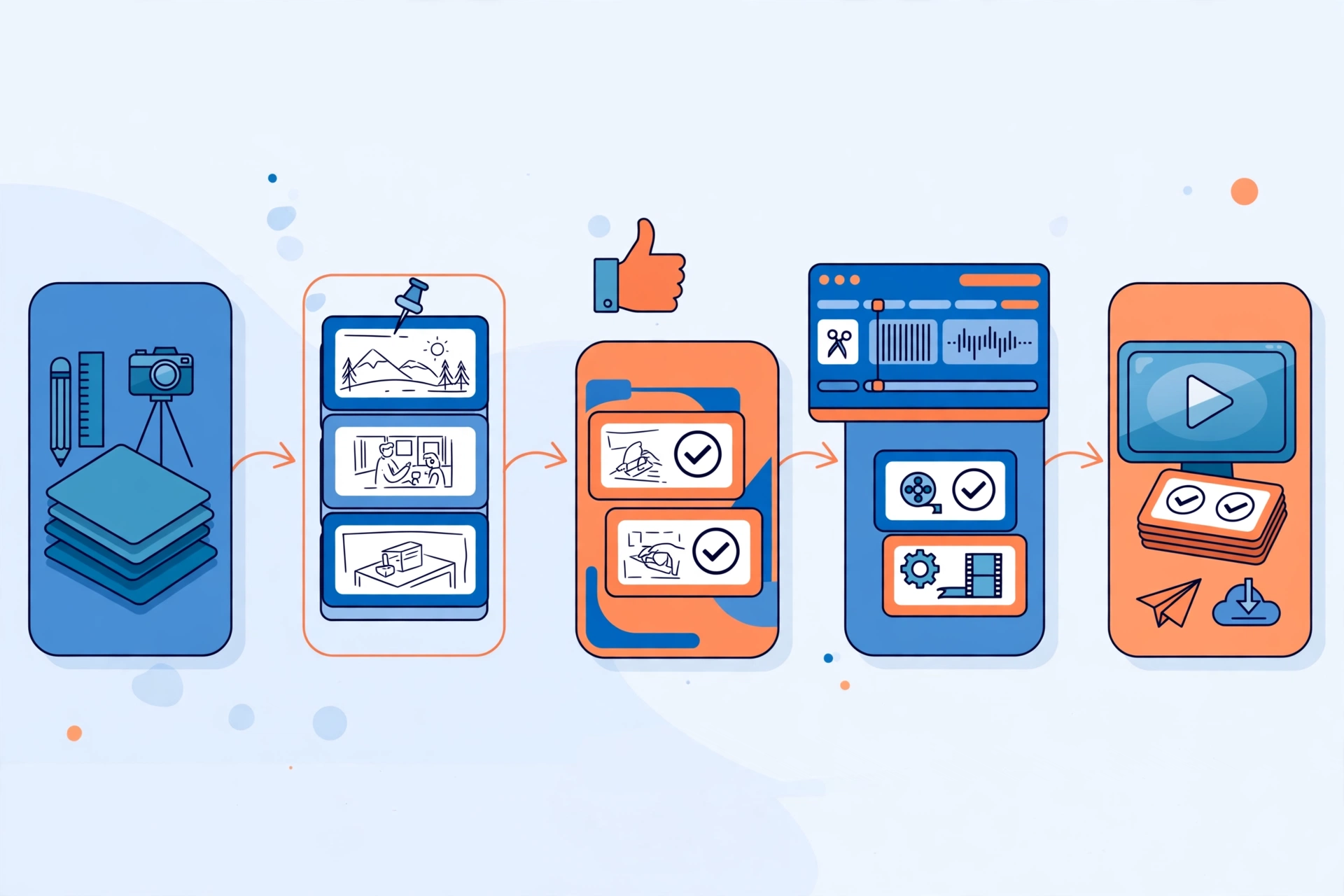
Either way, the same rule applies: standardize the workflow before you scale the tool. A shared brief template, a fixed review loop, and a naming convention for client assets will save more hours than any feature upgrade.
Where human editing is still needed
AI video tools remove the repetitive execution — the fortieth variant, the resize, the re-render with new words. They do not remove judgment. Budget human time for: script quality (a weak script produces a polished weak video), scene and stock matching on niche topics, brand checks on every new client template, caption accuracy, and the final client review. Agencies that sell “fully automated” video usually end up doing this work anyway, unpaid, after the client complains. Price it in from the start.
FAQ
Can an agency legally deliver AI-generated videos to clients?
Usually yes, but only on the right tier. Check that the plan you actually pay for grants commercial use and client delivery — and, for avatar tools, whether stock avatars may appear in paid ads. When in doubt, ask the vendor in writing before signing a client contract around the tool.
How many videos per month justify a team plan?
Work backwards from finished deliverables. If a team plan costs $119 per month and you ship 40 client videos, that is about $3 per video in tool cost; if you ship 8, it is about $15. Team plans pay off when several editors share the allowance and brand kits, not when one person uses them alone.
Should an agency buy subscription tools or one-time launch tools?
Both, for different jobs. Subscriptions buy stability, support, and governance for your core workflow. One-time launch tools buy cheap capacity for a specific format you can sell repeatedly. Never build a core client retainer on a launch tool alone until it has proven months of reliable service.
Do clients care that videos are AI-generated?
Most care about the result, not the method — until quality dips or disclosure rules apply. Be transparent when a jurisdiction or platform requires AI disclosure, and never present avatar presenters as real employees of the client. Honesty here protects the client relationship more than any tool feature.
What is the biggest mistake agencies make with AI video tools?
Buying for the demo instead of the workflow. A tool that makes one beautiful video but has no brand kits, no reviewer seats, and murky commercial terms will cost more in manual work than it saves. Test the full loop — brief, generate, review, revise, deliver — before committing to an annual plan.
Verdict
There is no single AI video generator that scales for every agency, because agencies do not all sell the same thing. If your work is presenter-led and multilingual, Synthesia is the most mature option despite its per-minute cost. If your work is content volume and repurposing, Pictory’s minute-based team plans are the easiest to budget and operate. If you sell animated storytelling, RocketToons AI’s team seats and reseller tier make it a credible niche offer — with launch-product risk priced in. And short-form launch tools are best kept as cheap specialists, not foundations.
Recommendation summary: Start with one subscription workhorse matched to your main format, add per-client brand kits and a fixed review loop before you add more tools, and only scale spend once cost per finished video is falling, not just output rising. That is what actually scales.
Prices and plan details in this article were verified in October 2026 from vendor pricing pages and independent reviews of those pages. Prices, credit allowances, and plan names change frequently — confirm the live pricing page before purchasing.